Discovery Agents
Use this function to view the total number of discovery agents installed for the corresponding Client, remotely install a new discovery agent, or restart the client.
|
1.
|
In the main window, click Admin > Discovery > Client. The Client window displays. |
|
2.
|
Select the client for which you want manage discovery agents. A new window displays with the Details tab displayed. |
|
3.
|
Click the Discovery Agents tab.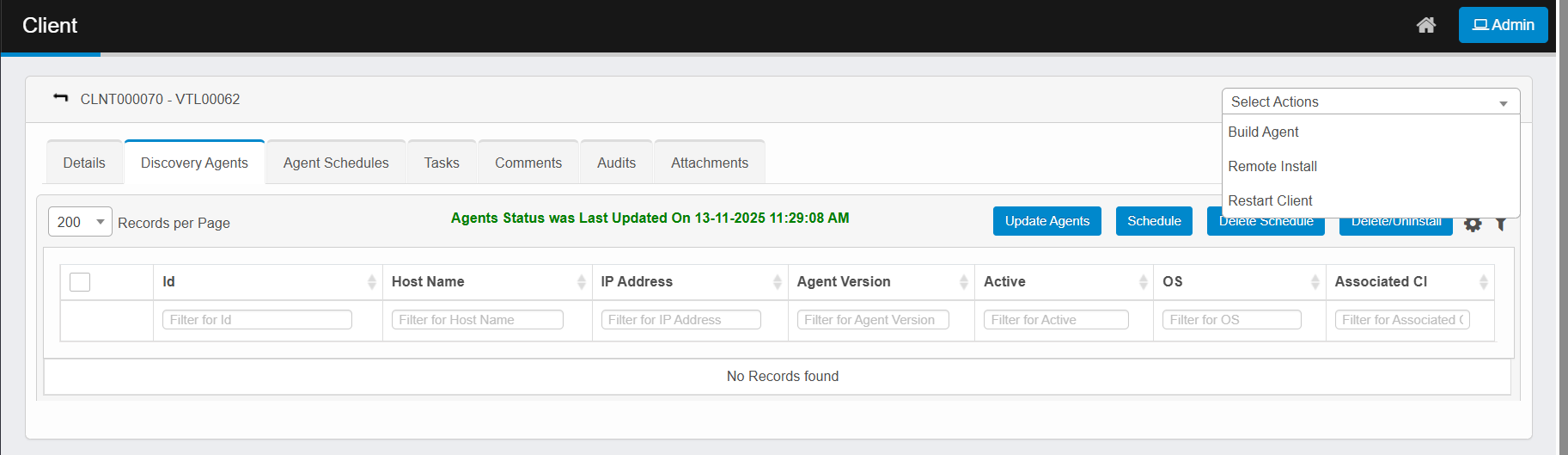 |
|
4.
|
To trigger a scheduled scan on the remote machine where an agent is installed, refer to Agent Schedules. |
|
5.
|
From the Select Actions drop-down list, choose an action: |
|
6.
|
Update Agents. To update the agents with the latest version, select an agent, then click Update Agents. |
|
7.
|
Schedule. To schedule a scan on the remote client, click Schedule and specify a time period. |
|
8.
|
Delete Schedule. To delete the schedule, click Delete Schedule. |
|
9.
|
Delete/Uninstall. To uninstall or remove, select an agent, click Uninstall, then click Uninstall. |
Related Topics
About Clients