Ignore ADM Process
Use this function to ignore ADM back-end processes when creating relationships.
| 1. | In the main window, click Admin > Discovery > Ignore ADM Process. The Ignore AD Process Names dialog box displays. |
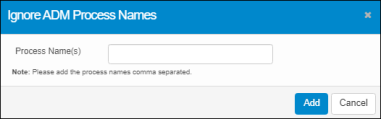
| 2. | Enter the name(s) of the process to ignore. Separate multiple process names with a comma. |
| 3. | Click Add. |
| 4. | System displays the successful message. |
| 5. | Click OK. |