MMC Certificates
|
This function is only available with certain asset types. Therefore, the relevant tab may not be displayed. |
| 1. | While viewing an asset record, click the Components option. |
| 2. | Click MMC Certificates. |
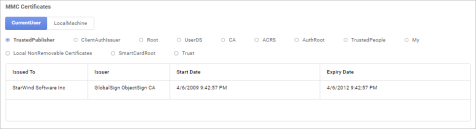
| 3. | Select to view the details for either the Current User or the Local Machine. |
| 4. | Click the radio button next to each item (such as Trusted Publisher, Client Auth Issuer, and so forth) to view the relevant details for the selected certificate. |