Network Interfaces
| |
This function is only available with certain asset types. Therefore, the relevant tab may not be displayed.
|
|
1.
|
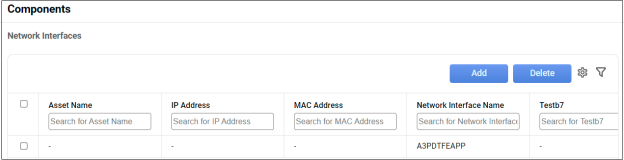
While viewing an asset record, click Components. |
|
2.
|
Click Network Interfaces. |
Add a New Network Interface
|
1.
|
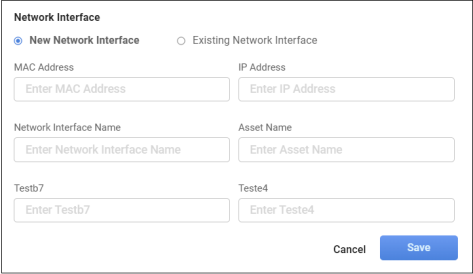
Click Add. The Network Interface dialog box displays. |
|
2.
|
Click New Network Interface. |
|
3.
|
Enter the applicable field information. |
|
4.
|
When all selections/entries are made, click Save. |
Modify Existing Network Interface
|
1.
|
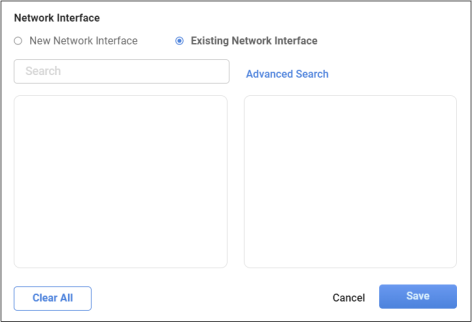
Click Existing Network Interface. |
|
2.
|
Enter the search criteria to locate the existing device. See also Advanced Search. |
|
3.
|
Select the applicable device from the results list. |
|
4.
|
When all selections are made, click Save. |
Delete Network Interface
While viewing the list of existing devices, select the device to delete, and click the Delete button.
Other Functions and Page Elements